Identifying Species with AI
Biowatch runs species identification models locally — images are analyzed on your machine and never uploaded anywhere.
Installing Models
Open Settings (bottom of the studies sidebar) → AI Models. The coverage map shows which model fits your study region; the cards below it let you download and manage each model.
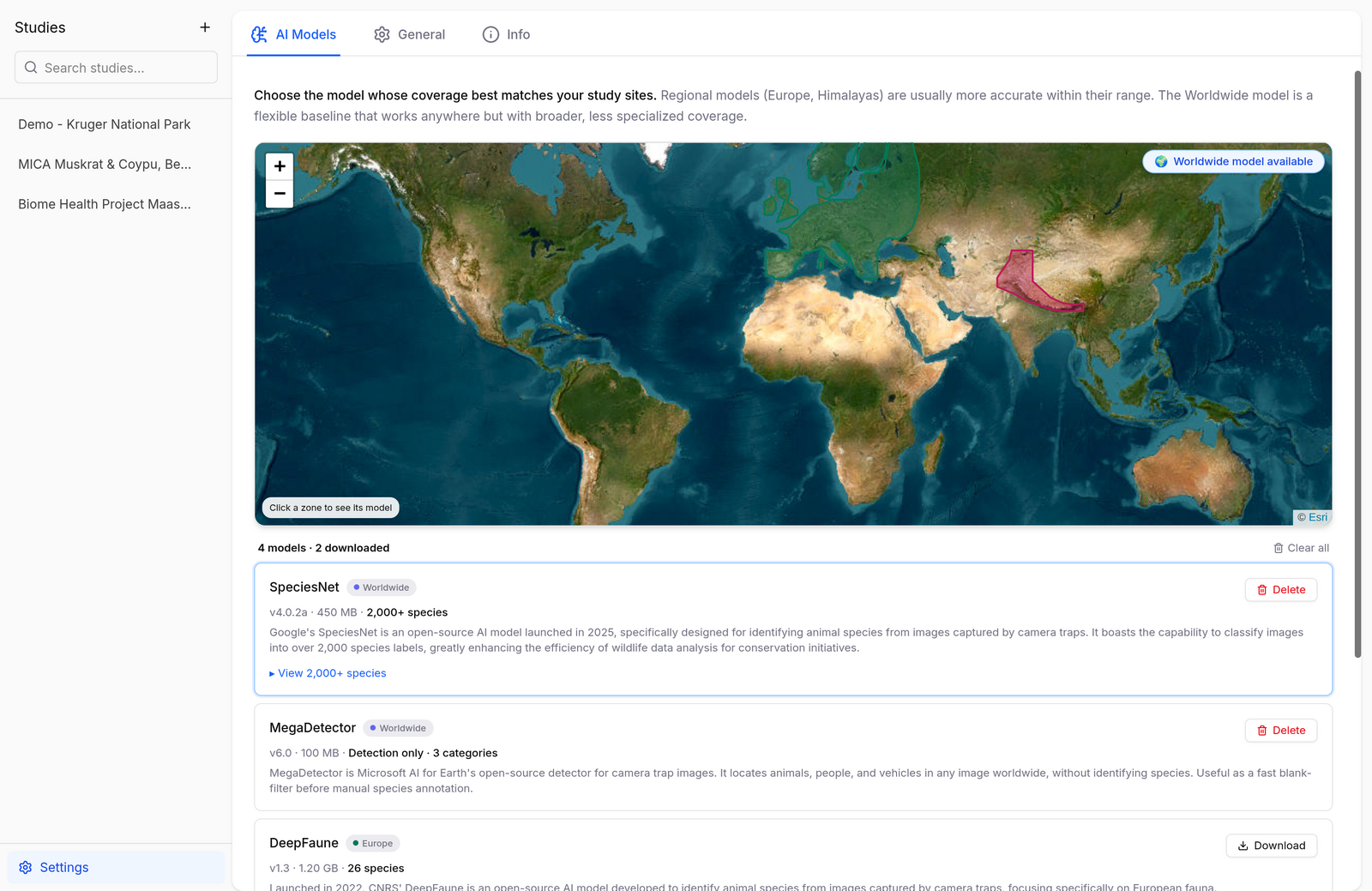
Click Download on a model card to install it (sizes range from ~120 MB to ~1.2 GB — see the table below). Once downloaded, the model appears in the model dropdown of the Images Directory import, and Delete reclaims the disk space whenever you no longer need it.
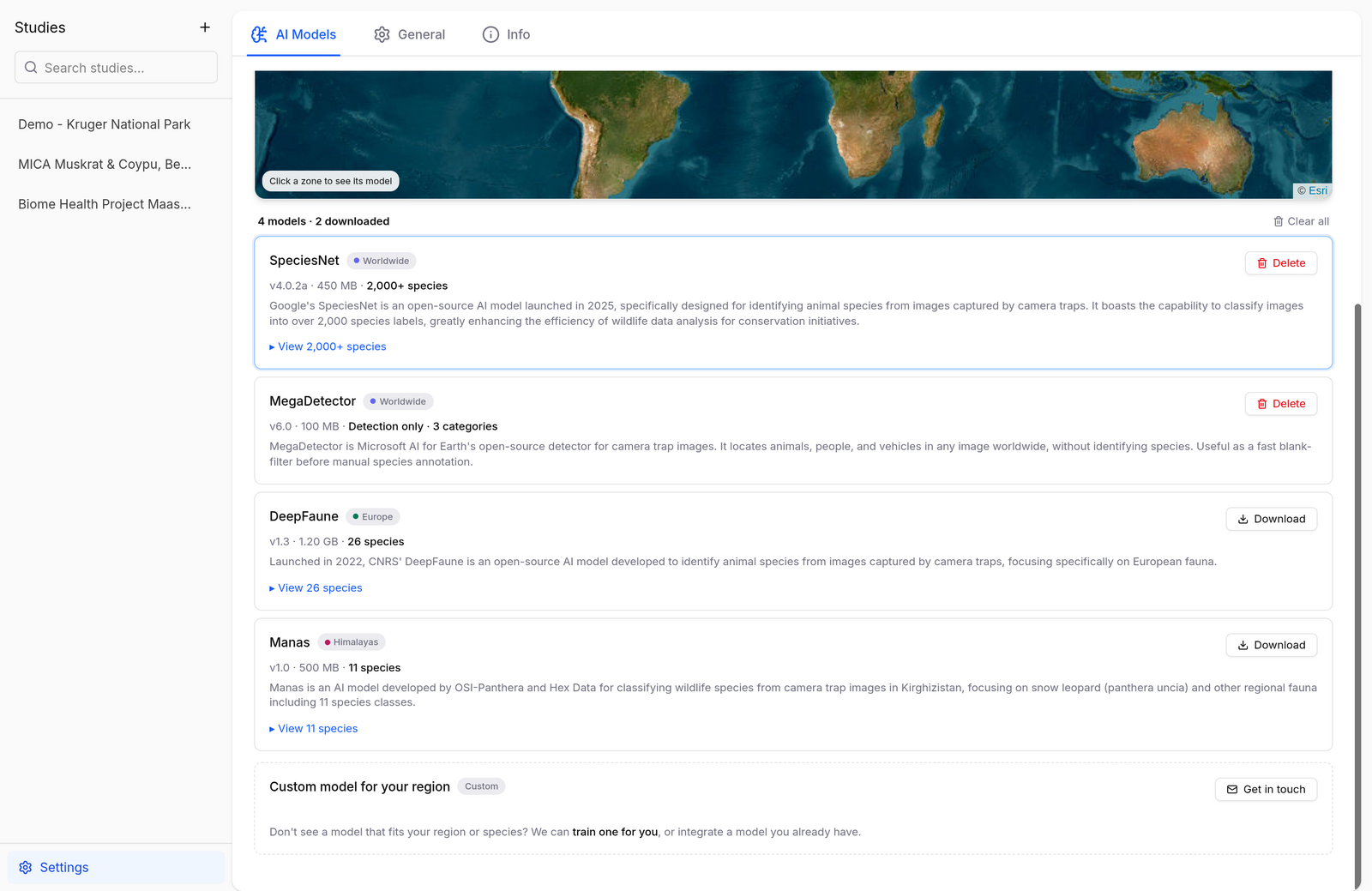
Available Models
| Model | Provider | Coverage | Species | Download size |
|---|---|---|---|---|
| SpeciesNet | Worldwide | 2,000+ | ~470 MB | |
| MegaDetector | Microsoft AI for Earth | Worldwide | Detection only (animal / person / vehicle) | ~120 MB |
| DeepFaune | CNRS | Europe | 26 | ~1.2 GB |
| Manas | OSI-Panthera & Hex Data | Himalayas (Kyrgyzstan) | 11, incl. snow leopard | ~500 MB |
Which one to pick?
- SpeciesNet is the safe default: launched by Google in 2025, it classifies over 2,000 species labels worldwide.
- MegaDetector doesn't identify species — it finds animals, people, and vehicles. Use it as a fast blank-filter before manual annotation, anywhere in the world.
- DeepFaune is the best choice for European fauna, developed by CNRS specifically for European camera traps.
- Manas specializes in Central Asian mountain fauna, with a focus on snow leopards.
Regional models are usually more accurate within their range; the worldwide models are a flexible baseline.
Need a model for your region?
The team can train custom models for specific regions or integrate a model you already have — use Get in touch at the bottom of the AI Models page.
Running a Model
Models run when you import an images directory: pick the model, select the folder, and Biowatch detects and identifies the animals as it builds the study. Predictions land as regular observations — review and correct them in the gallery viewer.